Celia Garcia Marquez
November 28, 2020
Drupal: Migración de desarrollo a producción
Warning: This information may be outdated. Please note the date of the post.
OBJETIVO:
Realizar la migración de la aplicación drupal que tienes instalada en el entorno de desarrollo a nuestro entorno de producción, para ello ten en cuenta lo siguiente:
1. La aplicación se tendrá que migrar a un nuevo virtualhost al que se accederá con el nombre portal.iesgnXX.es.
- Crear el nuevo virtualhost portal.iesgn05.es
cp /etc/nginx/sites-available/iesgn05 /etc/nginx/sites-available/portal.iesgn05.es
nano /etc/nginx/sites-available/portal.iesgn05.es
# Default server configuration
#
server {
        listen 80;
        listen [::]:80;

        root /var/www/portal.iesgn05.es;

        # Add index.php to the list if you are using PHP
        index index.html index.htm index.nginx-debian.html index.php;

        server_name portal.iesgn05.es;

        location / {
                try_files $uri $uri/ =404;
        }


        location ~\.php$ {
               include snippets/fastcgi-php.conf;
               # With php-fpm (or other unix sockets):
               fastcgi_pass unix:/run/php/php7.3-fpm.sock;
               # With php-cgi (or other tcp sockets):
               #fastcgi_pass 127.0.0.1:9000;
        }

}
Creamos el directorio y el html
mkdir /var/www/portal.iesgn05.es
nano /var/www/portal.iesgn05.es/index.html
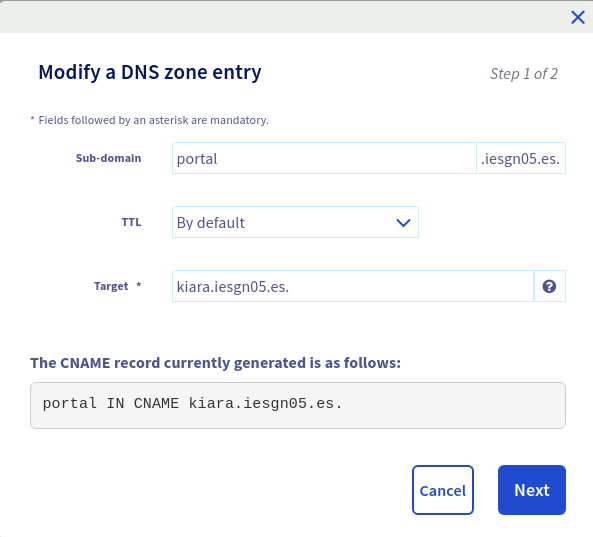
- Necesitaremos otra zona DNS
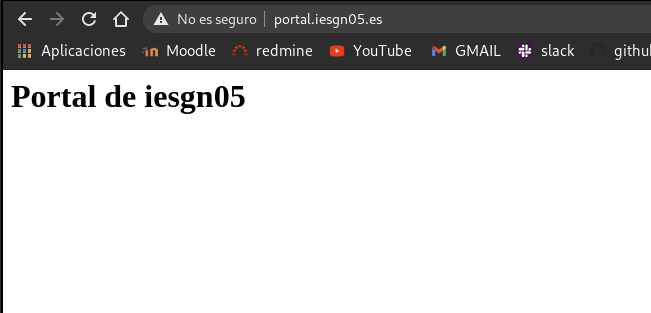
- Comprobamos que podemos acceder al sitio
2. Vamos a nombrar el servicio de base de datos que tenemos en producción. Como es un servicio interno no la vamos a nombrar en la zona DNS, la vamos a nombrar usando resolución estática. El nombre del servicio de base de datos se debe llamar: bd.iesgnXX.es.
- Utilizamos la resolución estática
127.0.0.1 bd.iesgn05.es
3. Por lo tanto los recursos que deberás crear en la base de datos serán (respeta los nombres):
Dirección de la base de datos: bd.iesgnXX.es
Base de datos: bd_drupal
Usuario: user_drupal
Password: pass_drupal
Comprobamos que mariadb esta en funcionamiento
root@kiara:/var/www# systemctl status mariadb
● mariadb.service - MariaDB 10.3.25 database server
   Loaded: loaded (/lib/systemd/system/mariadb.service; enabled; vendor preset: enabled)
   Active: active (running) since Mon 2020-11-23 08:57:32 UTC; 4 days ago
     Docs: man:mysqld(8)
           https://mariadb.com/kb/en/library/systemd/
  Process: 488 ExecStartPre=/usr/bin/install -m 755 -o mysql -g root -d /var/run/mysqld (code=exited, sta
  Process: 517 ExecStartPre=/bin/sh -c systemctl unset-environment _WSREP_START_POSITION (code=exited, st
  Process: 524 ExecStartPre=/bin/sh -c [ ! -e /usr/bin/galera_recovery ] && VAR= ||   VAR=`cd /usr/bin/..
  Process: 608 ExecStartPost=/bin/sh -c systemctl unset-environment _WSREP_START_POSITION (code=exited, s
  Process: 611 ExecStartPost=/etc/mysql/debian-start (code=exited, status=0/SUCCESS)
 Main PID: 577 (mysqld)
   Status: "Taking your SQL requests now..."
    Tasks: 30 (limit: 2318)
   Memory: 101.3M
   CGroup: /system.slice/mariadb.service
           └─577 /usr/sbin/mysqld

Warning: Journal has been rotated since unit was started. Log output is incomplete or unavailable.
- Creamos la base de datos, y el usuario y le damos privilegios.
MariaDB [(none)]> create database bd_drupal
    -> ;
Query OK, 1 row affected (0.000 sec)

MariaDB [(none)]> create user 'user_drupal'@'%';
Query OK, 0 rows affected (0.000 sec)

MariaDB [(none)]> grant all privileges on bd_drupal.* to 'user_drupal'@'%' identified by 'pass_drupal';
Query OK, 0 rows affected (0.000 sec)
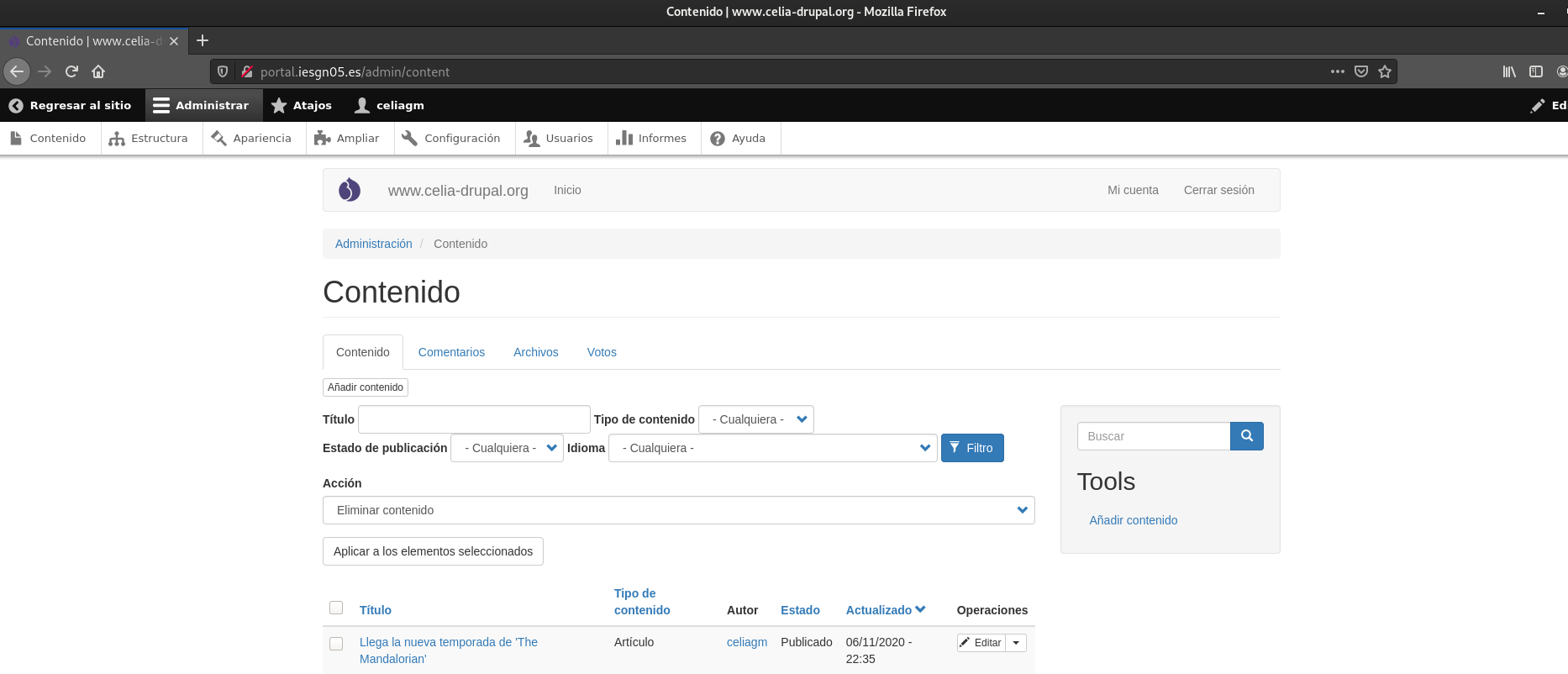
4. Realiza la migración de la aplicación.
- Hacemos una copia de seguridad de la base de datos de local, y la mandamos a nuestro servidor. La base de datos se encuentra alojada en el cliente ya que creamos la opción multinodo que usaba la base de datos en otro nodo. Entonces entramos en el cliente y hacemos la copia de seguridad de la base de datos. Después la mandamos a nuestro servidor.
Copia de seguridad:
mysqldump -v --opt --events --routines --triggers --default-character-set=utf8 -u user -p test > db_backup_db_test`date +%Y%m%d_%H%M%S`.sql
Enviar al servidor de ovh:
celiagm@debian:~$ scp db_backup_db_test20201127_130410.sql debian@kiara.iesgn05.es:/home/debian
db_backup_db_test20201127_130410.sql                       100%   11MB  20.3MB/s   00:00
- Pasamos el sitio web celia-drupal al servidor de ovh
root@debian-cms:/var/www# scp celia-drupal.zip celiagm@192.168.100.11:/home/celiagm

celiagm@debian:~$ scp celia-drupal.zip debian@kiara.iesgn05.es:/home/debian
- Lo descomprimimos en el lugar adecuado, copiamos el contenido de nuestro sitio web a
root@kiara:/var/www# unzip celia-drupal.zip
root@kiara:/var/www/celia-drupal# cp -r * ../portal.iesgn05.es/
- Restauramos la base de datos
root@kiara:/home/debian# mysql -u user_drupal --password=pass_drupal bd_drupal < db_backup_db_test20201127_130410.sql
- Entramos como user_drupal y comprobamos que se ha restaurado correctamente
MariaDB [(none)]> use bd_drupal;
Reading table information for completion of table and column names
You can turn off this feature to get a quicker startup with -A

Database changed
MariaDB [bd_drupal]> show tables;
+-------------------------------------------------+
| Tables_in_bd_drupal                             |
+-------------------------------------------------+
| batch                                           |
| block_content                                   |
| block_content__body                             |
| block_content__field_clean_blog_header_backgrou |
| block_content__field_clean_blog_header_image    |
| block_content_field_data                        |
| block_content_field_revision                    |
| block_content_r__846f9b8ab9                     |
| block_content_r__93aa615698                     |
| block_content_revision                          |
| block_content_revision__body                    |
| cache_bootstrap                                 |
| cache_config                                    |
| cache_container                                 |
| cache_data                                      |
| cache_default                                   |
| cache_discovery                                 |
| cache_dynamic_page_cache                        |
| cache_entity                                    |
| cache_menu                                      |
| cache_page                                      |
| cache_render                                    |
| cache_toolbar                                   |
| cachetags                                       |
| comment                                         |
| comment__comment_body                           |
| comment_entity_statistics                       |
| comment_field_data                              |
| config                                          |
| file_managed                                    |
| file_usage                                      |
| flood                                           |
| history                                         |
| key_value                                       |
| key_value_expire                                |
| locale_file                                     |
| locales_location                                |
| locales_source                                  |
| locales_target                                  |
| menu_link_content                               |
| menu_link_content_data                          |
| menu_link_content_field_revision                |
| menu_link_content_revision                      |
| menu_tree                                       |
| node                                            |
| node__body                                      |
| node__comment                                   |
| node__field_image                               |
| node__field_tags                                |
| node_access                                     |
| node_field_data                                 |
| node_field_revision                             |
| node_revision                                   |
| node_revision__body                             |
| node_revision__comment                          |
| node_revision__field_image                      |
| node_revision__field_tags                       |
| path_alias                                      |
| path_alias_revision                             |
| queue                                           |
| router                                          |
| search_dataset                                  |
| search_index                                    |
| search_total                                    |
| semaphore                                       |
| sequences                                       |
| sessions                                        |
| shortcut                                        |
| shortcut_field_data                             |
| shortcut_set_users                              |
| taxonomy_index                                  |
| taxonomy_term__parent                           |
| taxonomy_term_data                              |
| taxonomy_term_field_data                        |
| taxonomy_term_field_revision                    |
| taxonomy_term_revision                          |
| taxonomy_term_revision__parent                  |
| user__roles                                     |
| user__user_picture                              |
| users                                           |
| users_data                                      |
| users_field_data                                |
| votingapi_result                                |
| votingapi_vote                                  |
| watchdog                                        |
+-------------------------------------------------+
85 rows in set (0.001 sec)
- Tenemos que modificar un fichero de configuración que es settings.php que se encuentra en nuestro virtualhosting del servidor. Nos vamos al final del fichero y vemos la configuración de las bases de datos que vamos a modificar, actualmente tiene este aspecto que apuntaba a nuestra anterior base de datos que hemos eliminado.
nano /var/www/portal.iesgn05.es/drupal-9.0.7/sites/default/settings.php
$databases['default']['default'] = array (
  'database' => 'bd_drupal',
  'username' => 'user_drupal',
  'password' => 'pass_drupal',
  'prefix' => '',
  'host' => 'bd.iesgn05.es',
  'port' => '3306',
  'namespace' => 'Drupal\\Core\\Database\\Driver\\mysql',
  'driver' => 'mysql',
);
- Nos aseguramos que tenemos instalado php y los módulos necesarios
apt-get install php php-mysql php-xml
- Reiniciamos el servicio de mariadb y nginx
systemctl restart mariadb
systemctl restart nginx
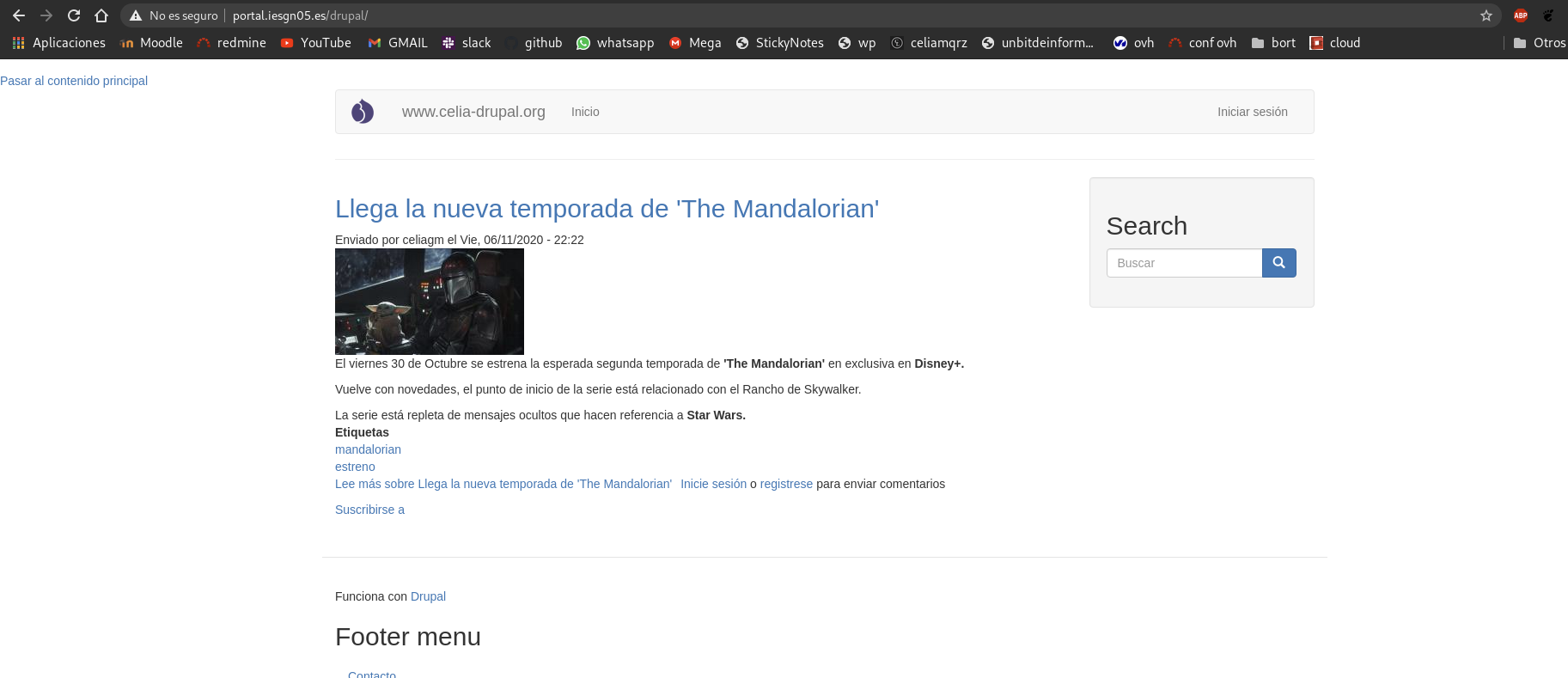
5. Asegurate que las URL limpias de drupal siguen funcionando en nginx.
Siguiendo esta guía:
Añadimos el sistema de url limipas en Drupal.
# Default server configuration
#
server {
        listen 80;
        listen [::]:80;

        root /var/www/portal.iesgn05.es;

        # Add index.php to the list if you are using PHP

        index index.html index.htm index.php;
        server_name portal.iesgn05.es;

        location / {
                try_files $uri $uri/ =404 @rewrite;
        }


        location ~\.php$ {
               include snippets/fastcgi-php.conf;
               # With php-fpm (or other unix sockets):
               fastcgi_pass unix:/run/php/php7.3-fpm.sock;
               # With php-cgi (or other tcp sockets):
               #fastcgi_pass 127.0.0.1:9000;
        }


         location @rewrite {

         # Some modules enforce no slash (/) at the end of the URL
         # Else this rewrite block wouldnt be needed (GlobalRedirect)

         rewrite ^/(.*)$ /index.php?q=$1;

         }

}
Comprobamos el funcionamiento
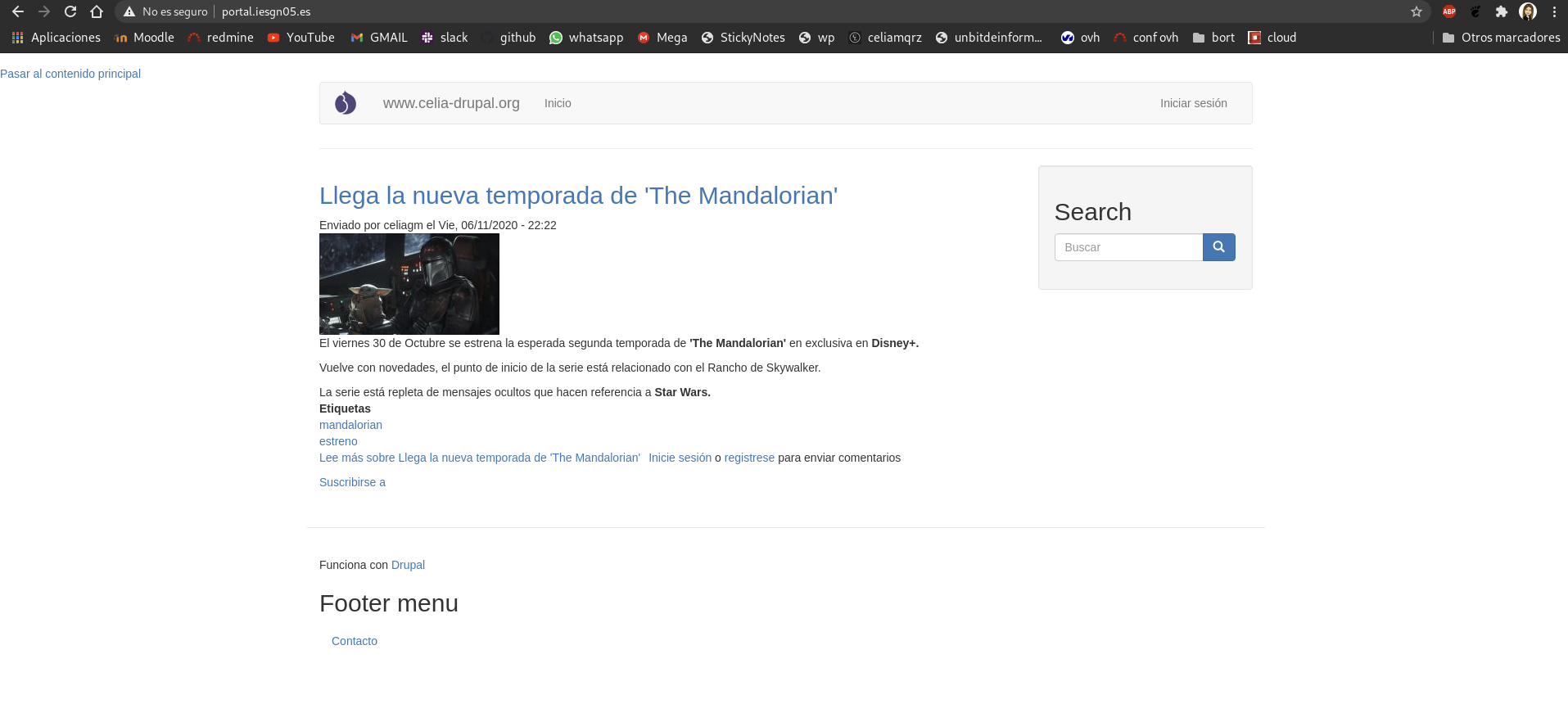
6. La aplicación debe estar disponible en la URL: portal.iesgnXX.es (Sin ningún directorio).
Copiamos el contenido al directorio de nuestro virtualhost
root@kiara:/var/www/portal.iesgn05.es# cp -r /home/debian/drupal-9.0.7/ .
root@kiara:/var/www/portal.iesgn05.es# rm index.html
root@kiara:/var/www/portal.iesgn05.es# ls -a
.	       composer.lock  drupal-9.0.7    example.gitignore  index.php    profiles	  themes
..	       core	      .editorconfig   .gitattributes	 INSTALL.txt  README.txt  update.php
autoload.php   .csslintrc     .eslintignore   .htaccess		 LICENSE.txt  robots.txt  vendor
composer.json  drupal	      .eslintrc.json  .ht.router.php	 modules      sites	  web.config

root@kiara:/var/www/portal.iesgn05.es# systemctl restart nginx
Comprobamos que funciona
Instalación / migración de la aplicación Nextcloud
1. Instala la aplicación web Nextcloud en tu entorno de desarrollo.
- Descargamos Nextcloud para servidores. Lo podemos descargar y pasar al sevidor o directamente descargar con wget copiando el enlace.
wget https://download.nextcloud.com/server/releases/nextcloud-20.0.2.zip
- Vamos a crear un virtualhosting para nextcloud, para ello creamos el directorio del documentroot:
mkdir /var/www/nextcloud
mv nextcloud-20.0.2.zip /var/www/nextcloud/
unzip /var/www/nextcloud-20.0.2.zip
chown -R www-data:www-data /var/www/nextcloud/
- Creamos la base de datos necesaria para nextcloud y el usuario que la va administrar, le damos los privilegios
root@debian-cms:~# mysql -u root -p
Enter password:
Welcome to the MariaDB monitor.  Commands end with ; or \g.
Your MariaDB connection id is 36
Server version: 10.3.25-MariaDB-0+deb10u1 Debian 10

Copyright (c) 2000, 2018, Oracle, MariaDB Corporation Ab and others.

Type 'help;' or '\h' for help. Type '\c' to clear the current input statement.

MariaDB [(none)]> create database nextcloud;
Query OK, 1 row affected (0.002 sec)

MariaDB [(none)]> create user 'user_next'@'localhost';
Query OK, 0 rows affected (0.005 sec)

MariaDB [(none)]> grant all privileges on nextcloud.* to 'user_next'@'localhost' identified by 'pass_next';
Query OK, 0 rows affected (0.003 sec)

MariaDB [(none)]> flush privileges;
Query OK, 0 rows affected (0.002 sec)
- Ahora creamos el virtualhosting para nextcloud
cp /etc/apache2/sites-available/celia-drupal.conf /etc/apache2/sites-available/nextcloud.conf
nano /etc/apache2/sites-available/nextcloud.conf
<VirtualHost *:80>
        ServerName www.celia.nextcloud.org
        ServerAdmin webmaster@localhost
        DocumentRoot /var/www/nextcloud
        ErrorLog ${APACHE_LOG_DIR}/error.log
        CustomLog ${APACHE_LOG_DIR}/access.log combined
</VirtualHost>
a2ensite nexcloud.conf
systemctl restart apache2
systemctl restart mariadb
- Nos salen ciertos errores porque necesitamos instalar varios módulos
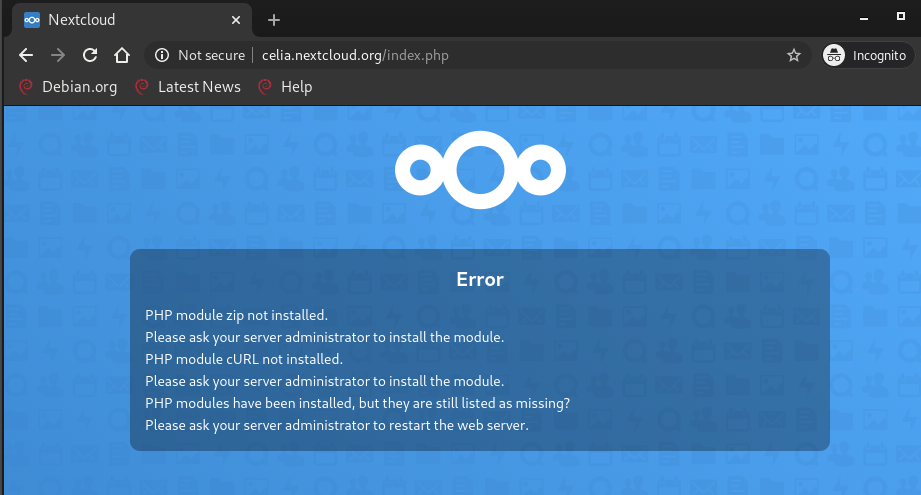
- Los instalamos
apt-get install php-zip php-curl php-intl php-imagick php-xml
- Comprobamos que funciona
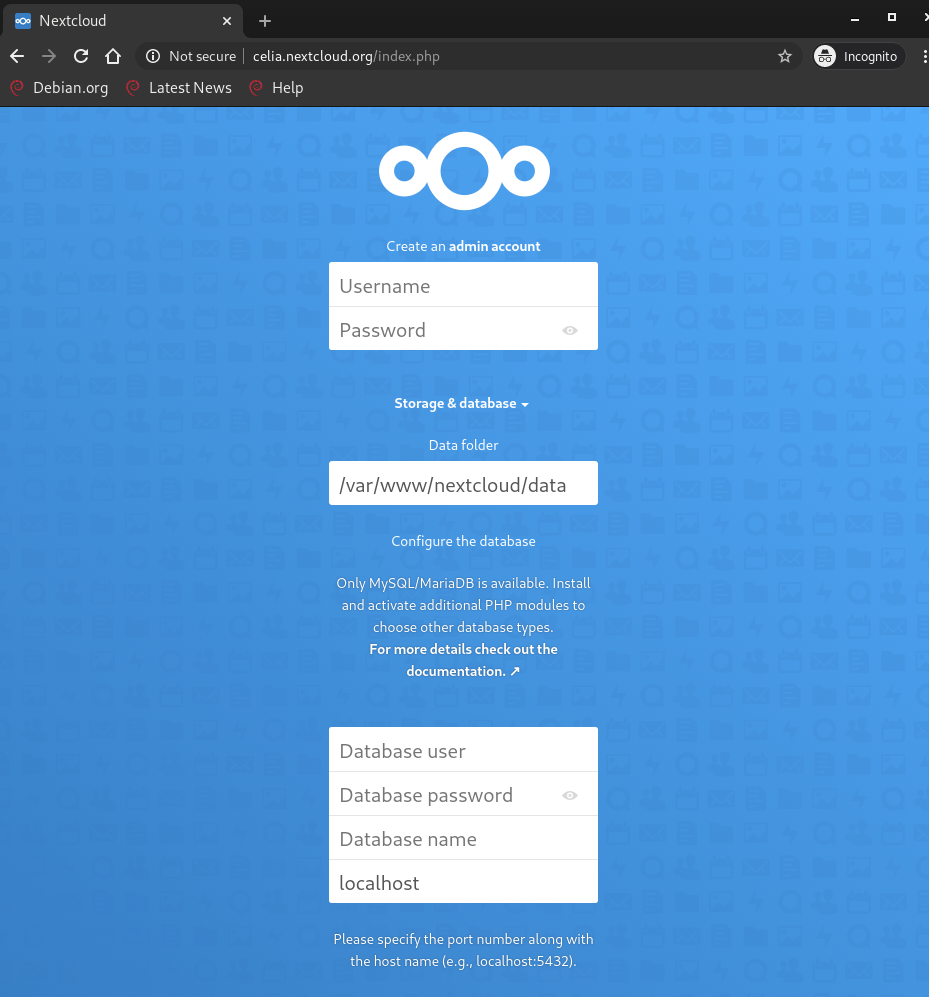
Instalación de NextCloud
Nos pide que pongamos un usuario y una contraseña. Ademas vamos a indicar el nombre de la base de datos, el nombre del usuario y contraseña que administra la base de datos y el host, en este caso sera localhost.
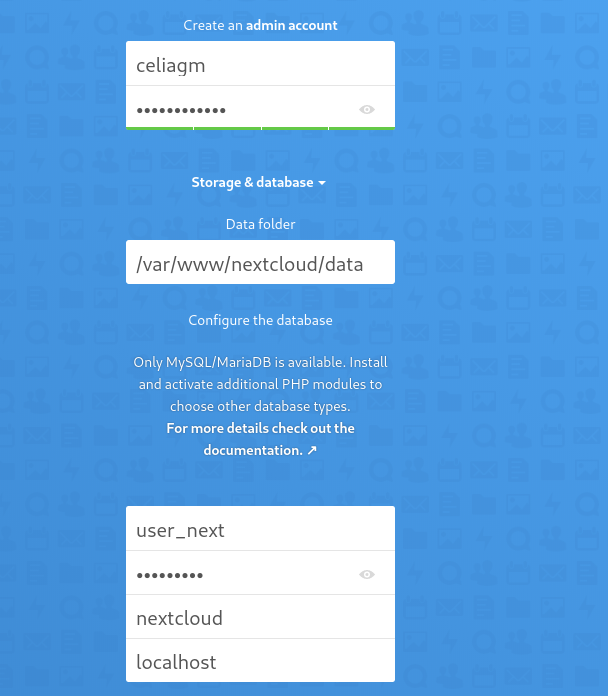
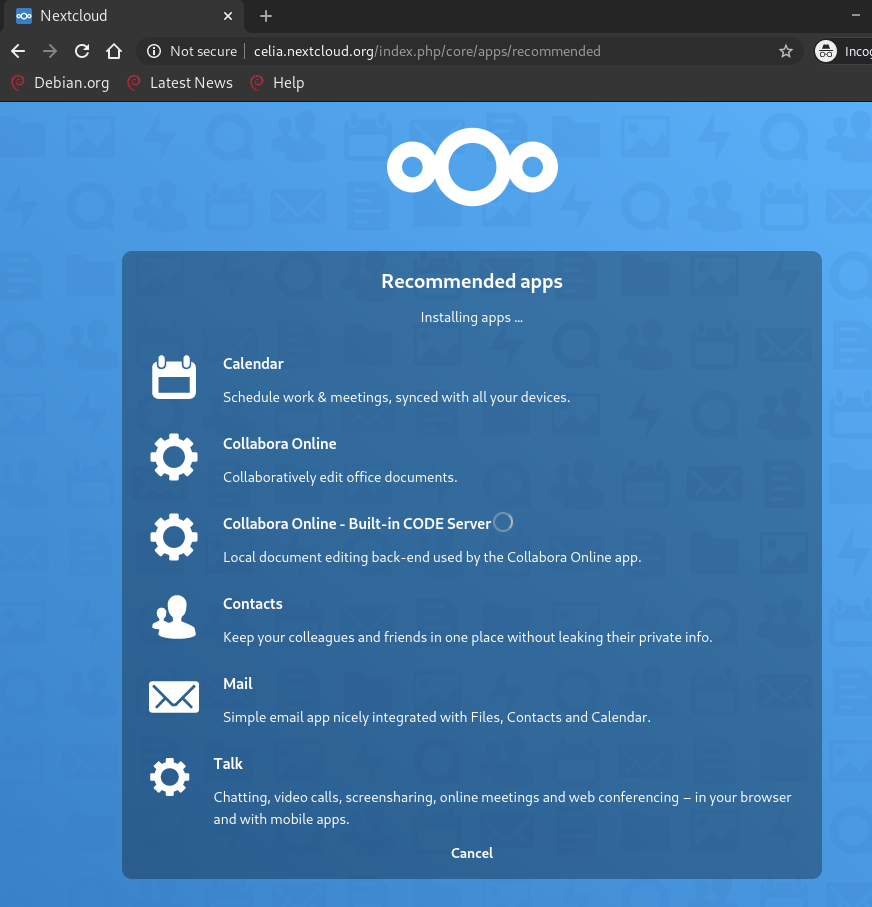
Y le damos a ‘Finish Setup’, así comenzará la instalación
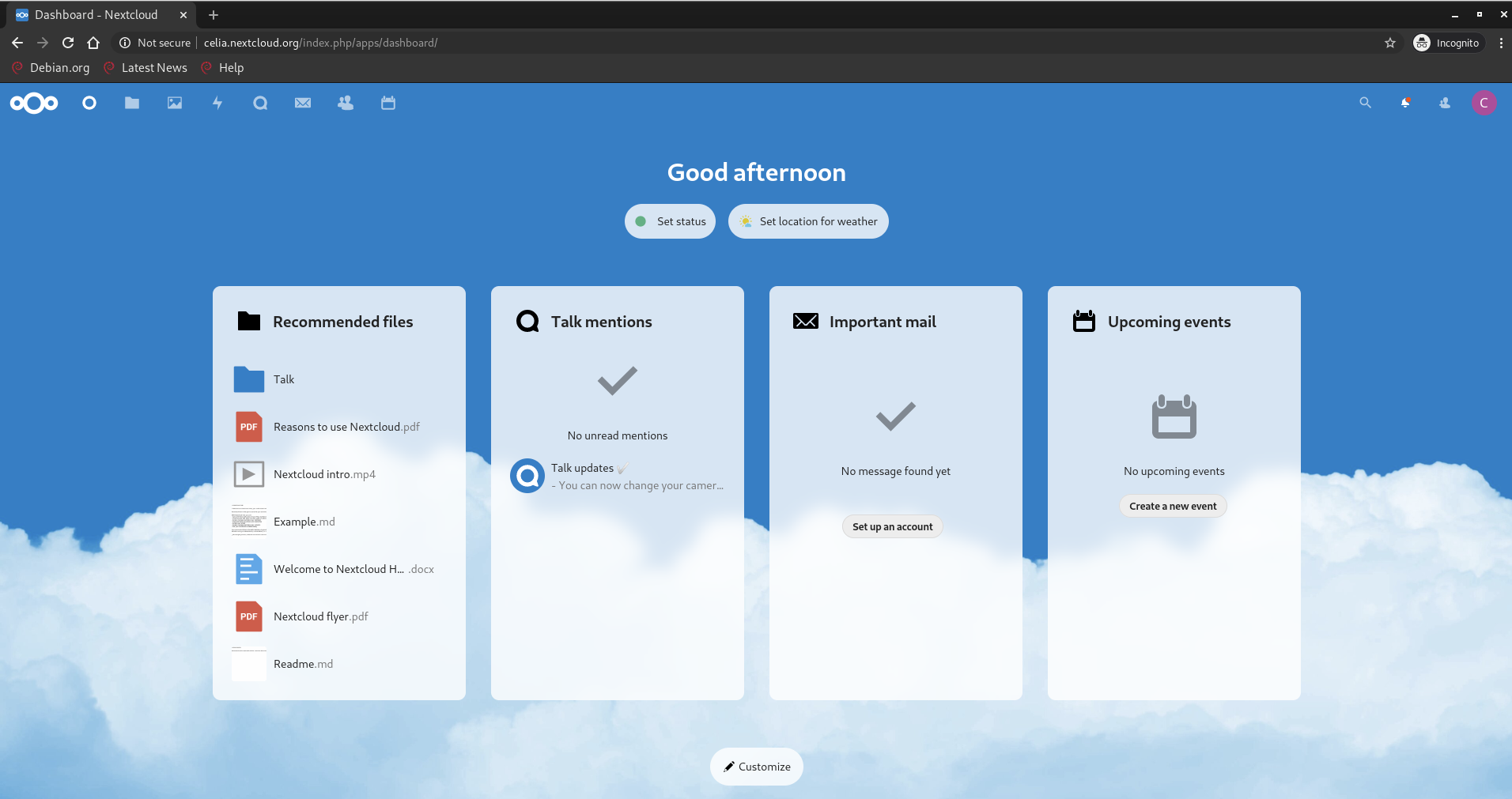
Comprobamos que ya tenemos nextcloud operativo
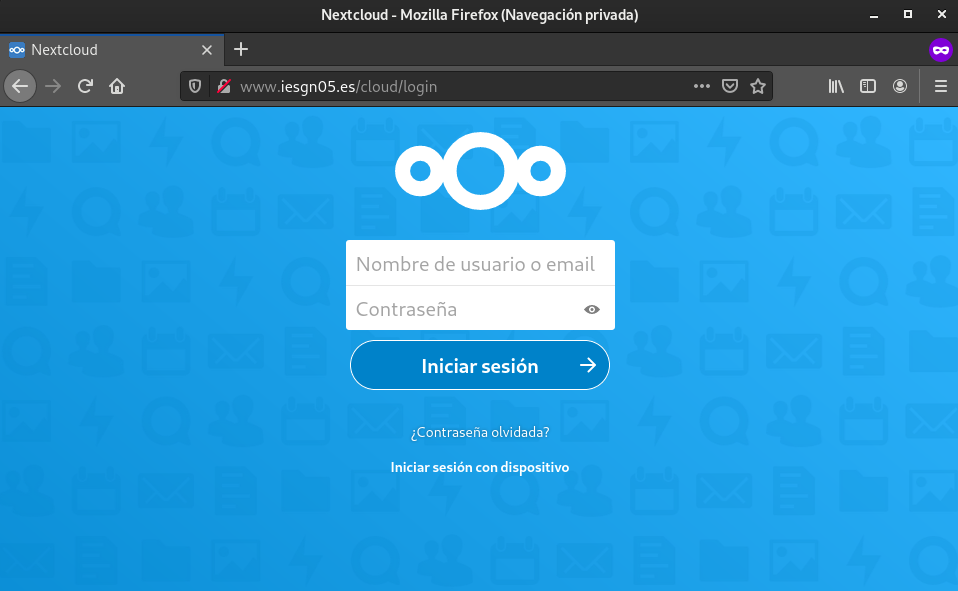
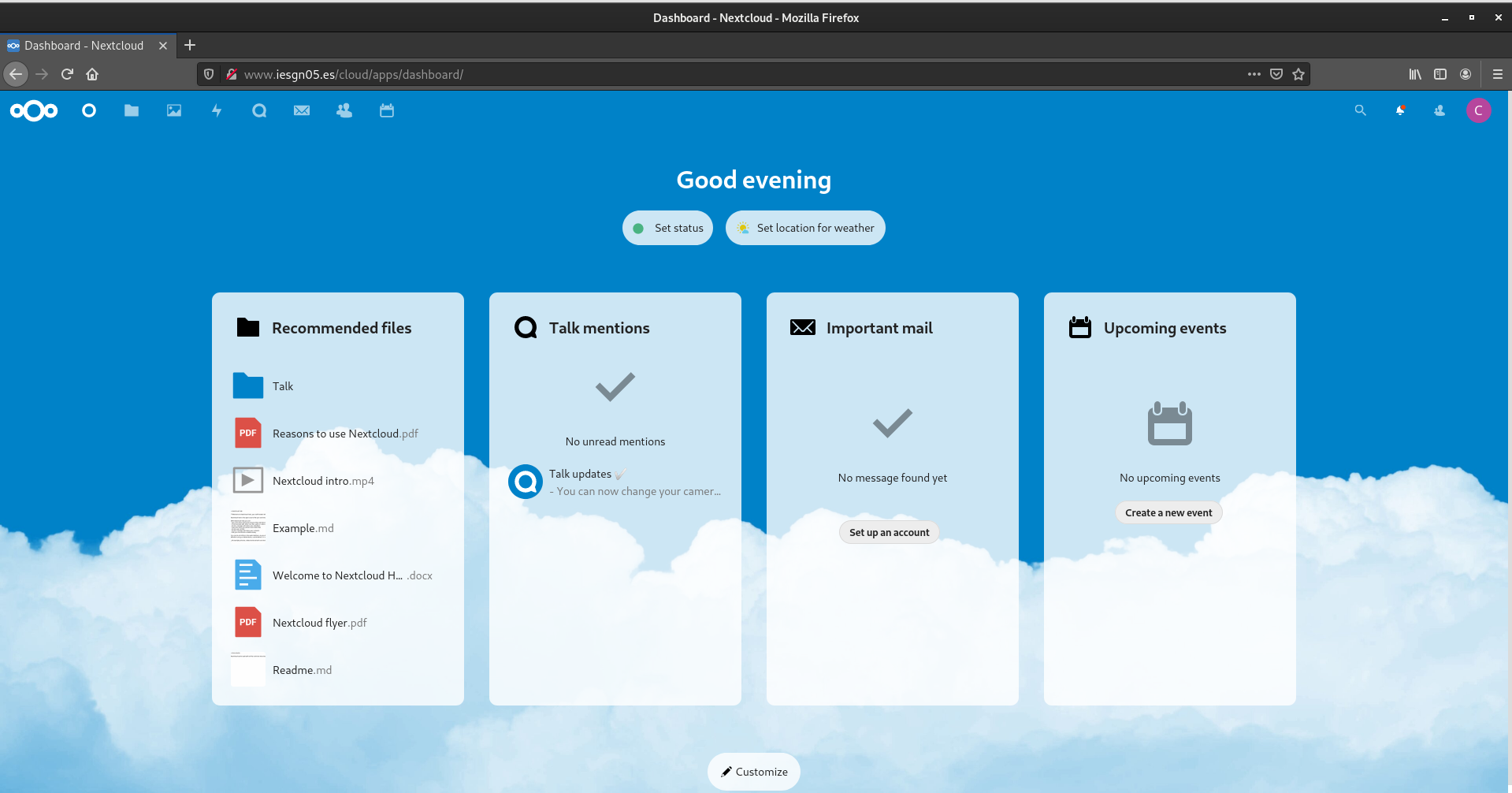
2. Realiza la migración al servidor en producción, para que la aplicación sea accesible en la URL: www.iesgnXX.es/cloud
- Hacemos una copia de la base de datos
mysqldump -v --opt --events --routines --triggers --default-character-set=utf8 -u user_next -p nextcloud > db_backup_nextcloud`date +%Y%m%d_%H%M%S`.sql
- Comprimimos el directorio ’nextcloud’
zip -r nextcloud nextcloud
- Los enviamos a nuestro servidor en producción por scp
root@debian-cms:/var/www# scp nextcloud.zip debian@kiara.iesgn05.es:/home/debian
The authenticity of host 'kiara.iesgn05.es (146.59.196.84)' can't be established.
ECDSA key fingerprint is SHA256:/9MCxCfHcwtoje2tVFGYmtJ1kWZj5fqlDbRBYzOXzJg.
Are you sure you want to continue connecting (yes/no)? yes
Warning: Permanently added 'kiara.iesgn05.es,146.59.196.84' (ECDSA) to the list of known hosts.
debian@kiara.iesgn05.es's password:
nextcloud.zip                                                          100%  199MB  28.4MB/s   00:07
root@debian-cms:/var/www# cd
root@debian-cms:~# ls
db_backup_nextcloud20201128_143440.sql	drupal.tar.gz
root@debian-cms:~# scp db_backup_nextcloud20201128_143440.sql debian@kiara.iesgn05.es:/home/debian
debian@kiara.iesgn05.es's password:
db_backup_nextcloud20201128_143440.sql
- Creamos la base de datos y el usuario en nuestro servidor en producción
root@kiara:/home/debian# mysql -u root -p
Enter password:
Welcome to the MariaDB monitor.  Commands end with ; or \g.
Your MariaDB connection id is 1403
Server version: 10.3.25-MariaDB-0+deb10u1 Debian 10

Copyright (c) 2000, 2018, Oracle, MariaDB Corporation Ab and others.

Type 'help;' or '\h' for help. Type '\c' to clear the current input statement.

MariaDB [(none)]> create database nextcloud;
Query OK, 1 row affected (0.000 sec)

MariaDB [(none)]> create user 'user_next'@'%';
Query OK, 0 rows affected (0.000 sec)

MariaDB [(none)]> grant all privileges on nextcloud.* to 'user_next'@'%' identified by 'pass_next';
Query OK, 0 rows affected (0.001 sec)

MariaDB [(none)]> flush privileges;
Query OK, 0 rows affected (0.000 sec)
- Restauramos la base de datos
mysql -u user_next --password=pass_next nextcloud < db_backup_nextcloud20201128_143440.sql
- Descomprimimos el directorio en /var/www/iesgn05/cloud
mv nextcloud.zip /var/www/
unzip nextcloud.zip
chown -R www-data:www-data cloud
- Configuramos nuestro virtualhost iesgn05 para que al acceder a www.iesgn05.es/cloud nos muestre el servicio
# Default server configuration
#
server {
        listen 80;
        listen [::]:80;

        server_name www.iesgn05.es;

        root /var/www/iesgn05;


        # Add index.php to the list if you are using PHP
        index index.html index.htm index.php;

        location =/ {
                return 301 $scheme://www.iesgn05.es/principal;

                try_files $uri $uri/ =404;
        }


        location @rewrite {
                # Some modules enforce no slash (/) at the end of the URL
                # Else this rewrite block wouldnt be needed (GlobalRedirect)

                rewrite ^/(.*)$ /index.php?q=$1;
        }

        # pass PHP scripts to FastCGI server
        location ~ \.php$ {
                include snippets/fastcgi-php.conf;

                # With php-fpm (or other unix sockets):
                fastcgi_pass unix:/run/php/php7.3-fpm.sock;
                # With php-cgi (or other tcp sockets):
                #fastcgi_pass 127.0.0.1:9000;
        }

location = /robots.txt {
                allow all;
                log_not_found off;
                access_log off;
        }

        location /.well-known {
                rewrite ^/\.well-known/host-meta\.json  /cloud/public.php?service=host-meta-json    last;
                rewrite ^/\.well-known/host-meta        /cloud/public.php?service=host-meta         last;
                rewrite ^/\.well-known/webfinger        /cloud/public.php?service=webfinger         last;
                rewrite ^/\.well-known/nodeinfo         /cloud/public.php?service=nodeinfo          last;

                location = /.well-known/carddav   { return 301 /cloud/remote.php/dav/; }
                location = /.well-known/caldav    { return 301 /cloud/remote.php/dav/; }

                try_files $uri $uri/ =404;
        }

        location ^~ /cloud {
                client_max_body_size 512M;
                fastcgi_buffers 64 4K;

                gzip on;
                gzip_vary on;
                gzip_comp_level 4;
                gzip_min_length 256;
                gzip_proxied expired no-cache no-store private no_last_modified no_etag auth;
                gzip_types application/atom+xml application/javascript application/json application/ld+json application/manifest+json application/rss+xml application/vnd.geo+json application/vnd.ms-fontobject a$

                add_header Referrer-Policy                      "no-referrer"   always;
                add_header X-Content-Type-Options               "nosniff"       always;
                add_header X-Download-Options                   "noopen"        always;
                add_header X-Frame-Options                      "SAMEORIGIN"    always;
                add_header X-Permitted-Cross-Domain-Policies    "none"          always;
                add_header X-Robots-Tag                         "none"          always;
                add_header X-XSS-Protection                     "1; mode=block" always;

                fastcgi_hide_header X-ed-By;
                index index.php index.html /cloud/index.php$request_uri;

                expires 1m;

        location = /cloud {
            if ( $http_user_agent ~ ^DavClnt ) {
                return 302 /cloud/remote.php/webdav/$is_args$args;
            }
        }

        location ~ ^/cloud/(?:build|tests|config|lib|3rdparty|templates|data)(?:$|/)    { return 404; }
        location ~ ^/cloud/(?:\.|autotest|occ|issue|indie|db_|console)                { return 404; }

        location ~ \.php(?:$|/) {
            fastcgi_split_path_info ^(.+?\.php)(/.*)$;
            set $path_info $fastcgi_path_info;

            try_files $fastcgi_script_name =404;

            include fastcgi_params;
            fastcgi_param SCRIPT_FILENAME $document_root$fastcgi_script_name;
            fastcgi_param PATH_INFO $path_info;

            fastcgi_param modHeadersAvailable true;
            fastcgi_param front_controller_active true;
            fastcgi_pass unix:/run/php/php7.3-fpm.sock;

            fastcgi_intercept_errors on;
            fastcgi_request_buffering off;
        }

        location ~ \.(?:css|js|svg|gif)$ {
            try_files $uri /cloud/index.php$request_uri;
            expires 6M;
            access_log off;
        }

        location ~ \.woff2?$ {
            try_files $uri /cloud/index.php$request_uri;
            expires 7d;
            access_log off;
        }

        location /cloud {
            try_files $uri $uri/ /cloud/index.php$request_uri;
        }
}


}
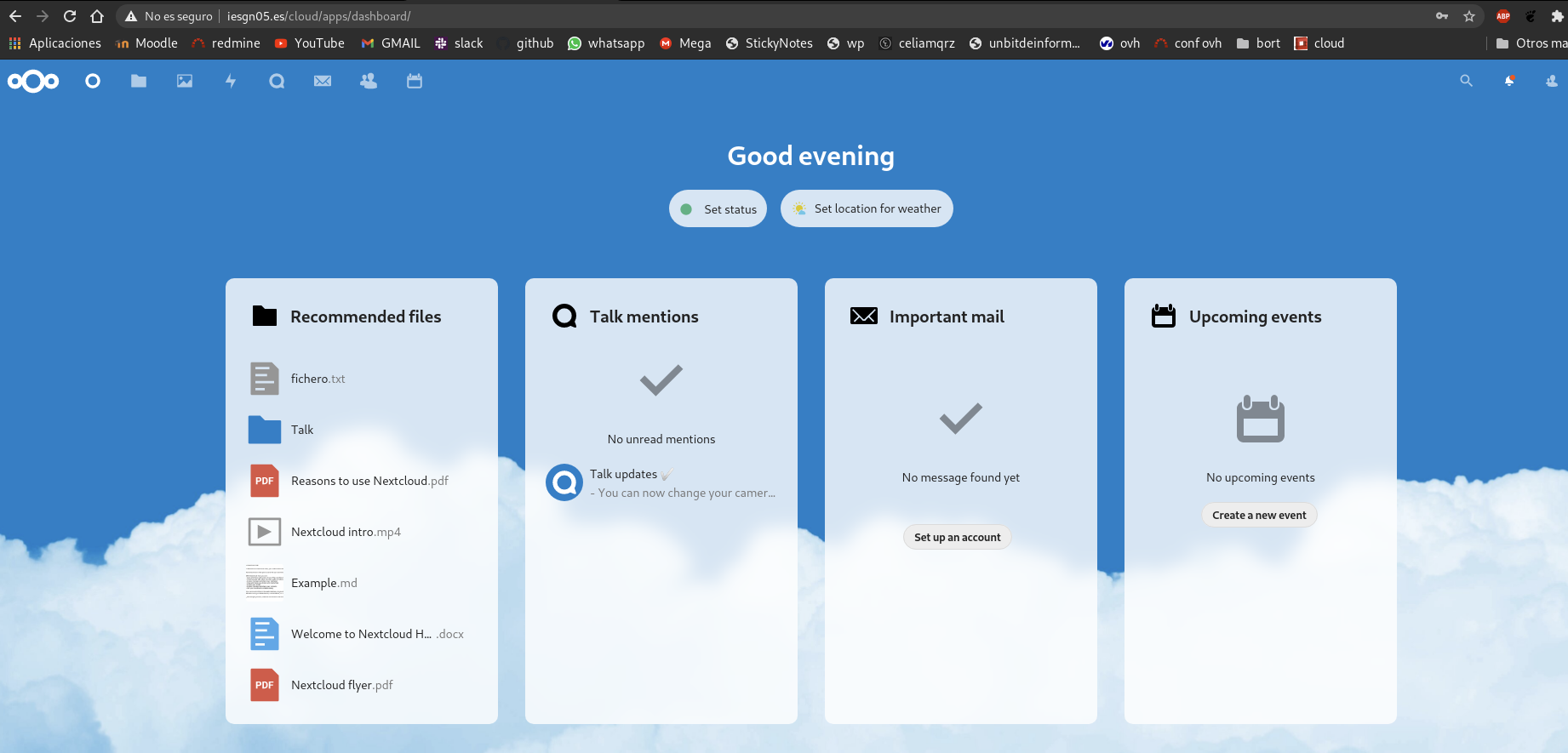
Comprobamos que funciona
3. Instala en un ordenador el cliente de nextcloud y realiza la configuración adecuada para acceder a “tu nube”.
Instalar paquete
$ sudo apt install nextcloud-desktop
Ejecutamos el software, en este caso como hemos elegido nuestra máquina fisica hemos escogido el entorno gráfico
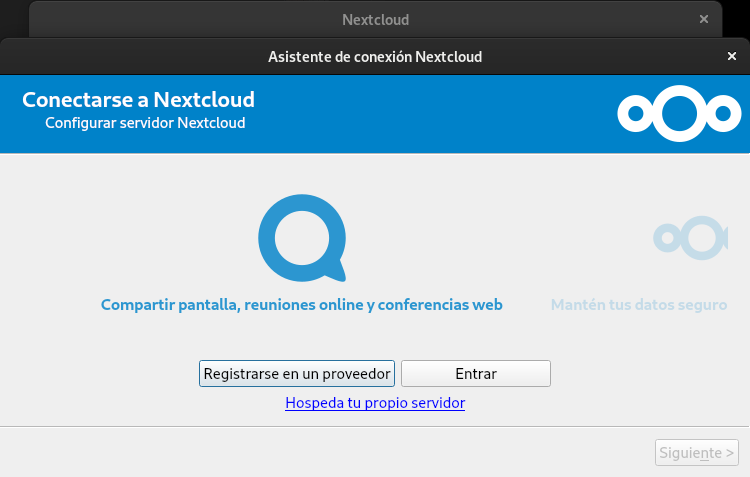
Ponemos la dirección del servidor. Nos mostraŕa un mensaje de advertencia porque no es un sitio seguro y le damos a continuar.
Nos pide el usuario y la contraseña, le pasamos las credenciales y continuamos.
Nos pide configurar las opciones de la carpeta local. Si desea sincronizar carpetas. Y elegir que carpeta vamos a elegir en para la subida y bajada de datos
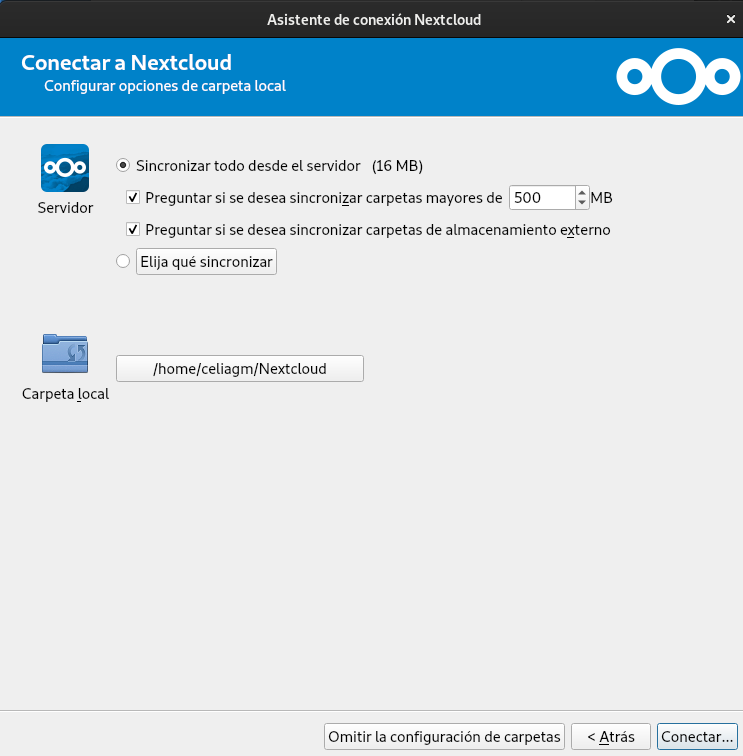
Vemos que se sincroniza correctamente
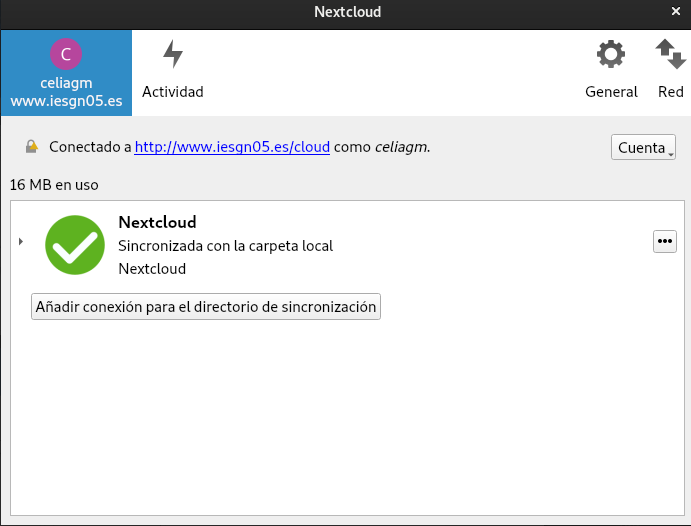
Podemos comprobar que se ha sincronizado correctamente.
celiagm@debian:~/Nextcloud$ ls
 Documents               Nextcloud.png                   Talk
'Nextcloud intro.mp4'    Photos
'Nextcloud Manual.pdf'  'Reasons to use Nextcloud.pdf'
Vamos a probar el funcionamiento:
Creamos un fichero de texto en la carpeta Nextcloud
touch fichero.txt
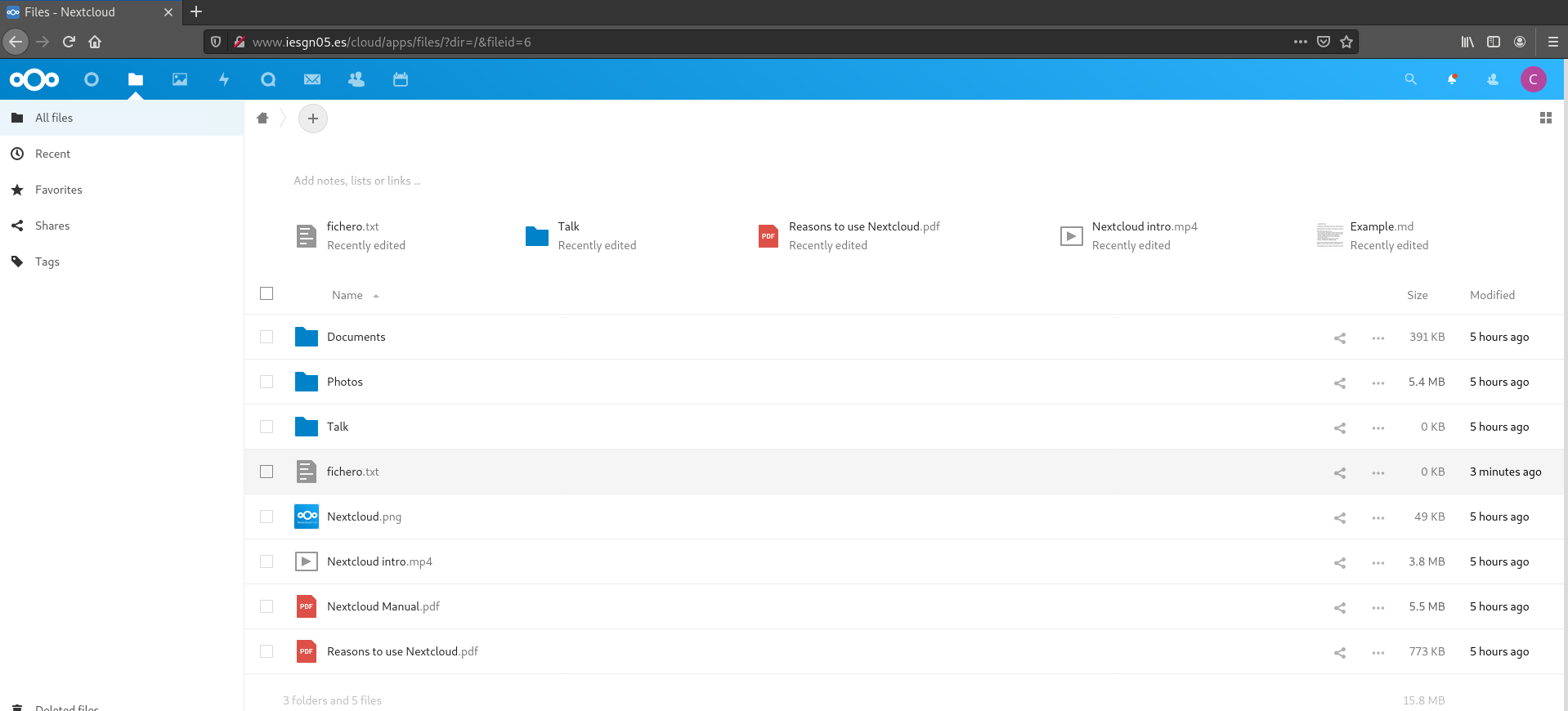
Vamos a la dirección de nuestro cloud en el navegador y comprobamos que se ha subido correctamente