
Celia Garcia Marquez
January 25, 2021
Cortafuegos perimetral. Iptables
Introducción
Warning: This information may be outdated. Please note the date of the post.
Vamos a construir un cortafuegos en dulcinea que nos permita controlar el tráfico de nuestra red. El cortafuegos que vamos a construir debe funcionar tras un reinicio.
La política por defecto que vamos a configurar en nuestro cortafuegos será de tipo DROP.
NAT
1.Las máquinas de nuestra red tienen que tener acceso al exterior
Estas reglas de iptables ya estaban configuradas en ejercicios anteriores, son las siguientes:
up iptables -t nat -A POSTROUTING -s 10.0.1.0/24 -o eth0 -j MASQUERADE
up iptables -t nat -A POSTROUTING -s 10.0.2.0/24 -o eth0 -j MASQUERADE
Pero lo vamos a cambiar de forma que esté configurado con la dirección estática. Estas reglas las modificaremos en el fichero /etc/network/interfaces
up iptables -t nat -A POSTROUTING -s 10.0.1.0/24 -o eth0 -j SNAT --to 10.0.0.3
up iptables -t nat -A POSTROUTING -s 10.0.2.0/24 -o eth0 -j SNAT --to 10.0.0.3
Reiniciamos el servicio y vemos que se ha configurado correctamente. Además podemos ver que tenemos otras reglas ya configuraras para los diferentes servicios que hemos ido configurando a lo largo del curso. Aunque aquí lo único que nos interesan son las lineas de SNAT.
debian@dulcinea:~$ sudo iptables -t nat -L -nv
Chain PREROUTING (policy ACCEPT 352 packets, 28200 bytes)
 pkts bytes target     prot opt in     out     source               destination
    0     0 DNAT       tcp  --  eth0   *       0.0.0.0/0            0.0.0.0/0            tcp dpt:80 to:10.0.2.4:80
    0     0 DNAT       tcp  --  eth0   *       0.0.0.0/0            0.0.0.0/0            tcp dpt:443 to:10.0.2.4:443
    1    94 DNAT       udp  --  eth0   *       0.0.0.0/0            0.0.0.0/0            udp dpt:53 to:10.0.1.2:53
    0     0 DNAT       tcp  --  eth0   *       0.0.0.0/0            0.0.0.0/0            tcp dpt:25 to:10.0.1.2:25

Chain INPUT (policy ACCEPT 12 packets, 2103 bytes)
 pkts bytes target     prot opt in     out     source               destination

Chain POSTROUTING (policy ACCEPT 44 packets, 2953 bytes)
 pkts bytes target     prot opt in     out     source               destination
  329 24699 SNAT       all  --  *      eth0    10.0.1.0/24          0.0.0.0/0            to:10.0.0.3
    5   396 SNAT       all  --  *      eth0    10.0.2.0/24          0.0.0.0/0            to:10.0.0.3

Chain OUTPUT (policy ACCEPT 39 packets, 2584 bytes)
 pkts bytes target     prot opt in     out     source               destination
- Comprobamos que tenemos acceso al exterior desde todas las máquinas del escenario
Suponemos que tenemos bien configurado nuestro servidor DNS que es Freston y que en el fichero /etc/resolv.conf de cada máquina estamos apuntando a él (10.0.1.2)
#Dulcinea

debian@dulcinea:~$ ping www.google.es
PING www.google.es (142.250.184.3) 56(84) bytes of data.
64 bytes from mad41s10-in-f3.1e100.net (142.250.184.3): icmp_seq=1 ttl=112 time=231 ms
64 bytes from mad41s10-in-f3.1e100.net (142.250.184.3): icmp_seq=2 ttl=112 time=306 ms
64 bytes from mad41s10-in-f3.1e100.net (142.250.184.3): icmp_seq=3 ttl=112 time=198 ms
^C
--- www.google.es ping statistics ---
4 packets transmitted, 3 received, 25% packet loss, time 6ms
rtt min/avg/max/mdev = 198.016/245.154/306.043/45.161 ms


#Freston
debian@freston:~$ ping www.google.es
PING www.google.es (142.250.184.3) 56(84) bytes of data.
64 bytes from mad41s10-in-f3.1e100.net (142.250.184.3): icmp_seq=1 ttl=111 time=69.7 ms
64 bytes from mad41s10-in-f3.1e100.net (142.250.184.3): icmp_seq=2 ttl=111 time=42.10 ms
64 bytes from mad41s10-in-f3.1e100.net (142.250.184.3): icmp_seq=3 ttl=111 time=67.8 ms
^C
--- www.google.es ping statistics ---
3 packets transmitted, 3 received, 0% packet loss, time 5ms
rtt min/avg/max/mdev = 42.993/60.184/69.743/12.183 ms


#Sancho

ubuntu@sancho:~$ ping www.google.es
PING www.google.es (142.250.184.3) 56(84) bytes of data.
64 bytes from mad41s10-in-f3.1e100.net (142.250.184.3): icmp_seq=1 ttl=111 time=55.4 ms
64 bytes from mad41s10-in-f3.1e100.net (142.250.184.3): icmp_seq=2 ttl=111 time=44.5 ms
64 bytes from mad41s10-in-f3.1e100.net (142.250.184.3): icmp_seq=3 ttl=111 time=48.7 ms
^C
--- www.google.es ping statistics ---
3 packets transmitted, 3 received, 0% packet loss, time 2002ms
rtt min/avg/max/mdev = 44.477/49.522/55.356/4.476 ms

#Quijote
[centos@quijote ~]$ ping www.google.es
PING www.google.es (142.250.184.3) 56(84) bytes of data.
64 bytes from mad41s10-in-f3.1e100.net (142.250.184.3): icmp_seq=1 ttl=111 time=47.6 ms
64 bytes from mad41s10-in-f3.1e100.net (142.250.184.3): icmp_seq=2 ttl=111 time=42.4 ms
64 bytes from mad41s10-in-f3.1e100.net (142.250.184.3): icmp_seq=3 ttl=111 time=43.5 ms
^C
--- www.google.es ping statistics ---
3 packets transmitted, 3 received, 0% packet loss, time 449ms
2. Configura de manera adecuada todas las reglas NAT necesarias para que los servicios expuestos al exterior sean accesibles.
Tenemos dos servicios: Servidor DNS y Servidor Web
Servidor DNS (FRESTON)
Para ello necesitaremos tener bien configurado nuestro servidor DNS y las reglas pertintentes en Dulcinea para que funcione correctamente de forma que:
- Esta regla ya la teniamos agregada previamente.
sudo iptables -t nat -A PREROUTING -p udp --dport 53 -i eth0 -j DNAT --to 10.0.1.2:53
- Funciona después de cada reinicio porque hemos instalado un paquete llamado
iptables-persistent
Si editamos el fichero donde tenemos guardadas las reglas:
sudo nano /etc/iptables/rules.v4
. . .
. . .

# Regla para que se puedan realizar consultas desde fuera nuestro DNS

-A PREROUTING -i eth0 -p udp -m udp --dport 53 -j DNAT --to-destination 10.0.1.2:53

. . .
. . .
- Comprobamos que podemos hacer una consulta desde el exterior y responde correctamente.
celiagm@debian:~$ dig @172.22.200.222 ns celia.gonzalonazareno.org

; <<>> DiG 9.11.5-P4-5.1+deb10u3-Debian <<>> @172.22.200.222 ns celia.gonzalonazareno.org
; (1 server found)
;; global options: +cmd
;; Got answer:
;; ->>HEADER<<- opcode: QUERY, status: NOERROR, id: 26194
;; flags: qr aa rd ra; QUERY: 1, ANSWER: 1, AUTHORITY: 0, ADDITIONAL: 2

;; OPT PSEUDOSECTION:
; EDNS: version: 0, flags:; udp: 4096
; COOKIE: e11a461c6588fede6608354360421f03b7895a49c1216c3f (good)
;; QUESTION SECTION:
;celia.gonzalonazareno.org.	IN	NS

;; ANSWER SECTION:
celia.gonzalonazareno.org. 86400 IN	NS	dulcinea.celia.gonzalonazareno.org.

;; ADDITIONAL SECTION:
dulcinea.celia.gonzalonazareno.org. 86400 IN A	172.22.200.222

;; Query time: 73 msec
;; SERVER: 172.22.200.222#53(172.22.200.222)
;; WHEN: vie mar 05 13:07:31 CET 2021
;; MSG SIZE  rcvd: 121
Servidor web (Quijote)
Nuestro servidor web nos ofrece servicio por el puerto 80 y por el puerto 443 (https), ya teniamos nuestras reglas agregadas que son las siguientes, también contempladas en el fichero de /etc/iptables/rules.v4
# para usar http puerto 80

sudo iptables -t nat -A PREROUTING -p tcp --dport 80 -i eth0 -j DNAT --to 10.0.2.4:80


# Para usar https puerto 443

iptables -A OUTPUT -p tcp -m tcp --dport 443 -j ACCEPT

sudo iptables -t nat -A PREROUTING -p tcp --dport 443 -i eth0 -j DNAT --to 10.0.2.4:443
Fucionamiento:
Si entramos en la página web www.celia.gonzalonazareno.org
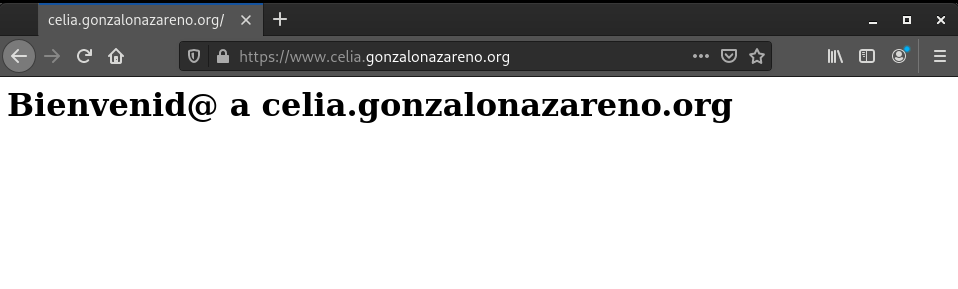
Podemos ver que se han utilizado las dos reglas que hemos añadido
debian@dulcinea:~$ sudo iptables -t nat -L -nv
Chain PREROUTING (policy ACCEPT 416 packets, 34596 bytes)
 pkts bytes target     prot opt in     out     source               destination
    5   300 DNAT       tcp  --  eth0   *       0.0.0.0/0            0.0.0.0/0            tcp dpt:80 to:10.0.2.4:80
    5   300 DNAT       tcp  --  eth0   *       0.0.0.0/0            0.0.0.0/0            tcp dpt:443 to:10.0.2.4:443

. . .
. . .
Reglas
PING
- Tenemos que hacer ping desde todas las maquinas
# Desde dulcinea
debian@dulcinea:~$ ping sancho
PING sancho.celia.gonzalonazareno.org (10.0.1.11) 56(84) bytes of data.
64 bytes from sancho.celia.gonzalonazareno.org (10.0.1.11): icmp_seq=1 ttl=64 time=1.10 ms
64 bytes from sancho.celia.gonzalonazareno.org (10.0.1.11): icmp_seq=2 ttl=64 time=0.681 ms
^C
--- sancho.celia.gonzalonazareno.org ping statistics ---
2 packets transmitted, 2 received, 0% packet loss, time 3ms
rtt min/avg/max/mdev = 0.681/0.888/1.095/0.207 ms
debian@dulcinea:~$ ping freston
PING freston.celia.gonzalonazareno.org (10.0.1.2) 56(84) bytes of data.
64 bytes from freston.celia.gonzalonazareno.org (10.0.1.2): icmp_seq=1 ttl=64 time=0.435 ms
64 bytes from freston.celia.gonzalonazareno.org (10.0.1.2): icmp_seq=2 ttl=64 time=0.808 ms
^C
--- freston.celia.gonzalonazareno.org ping statistics ---
2 packets transmitted, 2 received, 0% packet loss, time 3ms
rtt min/avg/max/mdev = 0.435/0.621/0.808/0.188 ms
debian@dulcinea:~$ ping quijote
PING quijote.celia.gonzalonazareno.org (10.0.2.4) 56(84) bytes of data.
64 bytes from quijote.celia.gonzalonazareno.org (10.0.2.4): icmp_seq=1 ttl=64 time=1.17 ms
64 bytes from quijote.celia.gonzalonazareno.org (10.0.2.4): icmp_seq=2 ttl=64 time=0.966 ms
64 bytes from quijote.celia.gonzalonazareno.org (10.0.2.4): icmp_seq=3 ttl=64 time=0.696 ms
^C
--- quijote.celia.gonzalonazareno.org ping statistics ---
3 packets transmitted, 3 received, 0% packet loss, time 5ms
rtt min/avg/max/mdev = 0.696/0.945/1.173/0.195 ms


# Desde freston

debian@freston:~$ ping dulcinea.celia.gonzalonazareno.org
PING dulcinea.celia.gonzalonazareno.org (10.0.1.6) 56(84) bytes of data.
64 bytes from dulcinea.celia.gonzalonazareno.org (10.0.1.6): icmp_seq=1 ttl=64 time=0.469 ms
64 bytes from dulcinea.celia.gonzalonazareno.org (10.0.1.6): icmp_seq=2 ttl=64 time=0.642 ms
64 bytes from dulcinea.celia.gonzalonazareno.org (10.0.1.6): icmp_seq=3 ttl=64 time=0.518 ms
^C
--- dulcinea.celia.gonzalonazareno.org ping statistics ---
3 packets transmitted, 3 received, 0% packet loss, time 53ms
rtt min/avg/max/mdev = 0.469/0.543/0.642/0.072 ms
debian@freston:~$ ping quijote.celia.gonzalonazareno.org
PING quijote.celia.gonzalonazareno.org (10.0.2.4) 56(84) bytes of data.
64 bytes from quijote.celia.gonzalonazareno.org (10.0.2.4): icmp_seq=1 ttl=63 time=1.47 ms
64 bytes from quijote.celia.gonzalonazareno.org (10.0.2.4): icmp_seq=2 ttl=63 time=1.26 ms
^C
--- quijote.celia.gonzalonazareno.org ping statistics ---
2 packets transmitted, 2 received, 0% packet loss, time 3ms
rtt min/avg/max/mdev = 1.261/1.364/1.467/0.103 ms
debian@freston:~$ ping sancho.celia.gonzalonazareno.org
PING sancho.celia.gonzalonazareno.org (10.0.1.11) 56(84) bytes of data.
64 bytes from sancho.celia.gonzalonazareno.org (10.0.1.11): icmp_seq=1 ttl=64 time=1.18 ms
64 bytes from sancho.celia.gonzalonazareno.org (10.0.1.11): icmp_seq=2 ttl=64 time=0.672 ms
64 bytes from sancho.celia.gonzalonazareno.org (10.0.1.11): icmp_seq=3 ttl=64 time=0.592 ms
^C
--- sancho.celia.gonzalonazareno.org ping statistics ---
3 packets transmitted, 3 received, 0% packet loss, time 5ms
rtt min/avg/max/mdev = 0.592/0.816/1.184/0.262 ms


## Desde quijote

[centos@quijote ~]$ ping freston.celia.gonzalonazareno.org
PING freston.celia.gonzalonazareno.org (10.0.1.2) 56(84) bytes of data.
64 bytes from freston.celia.gonzalonazareno.org (10.0.1.2): icmp_seq=1 ttl=63 time=1.18 ms
64 bytes from freston.celia.gonzalonazareno.org (10.0.1.2): icmp_seq=2 ttl=63 time=1.09 ms
^C
--- freston.celia.gonzalonazareno.org ping statistics ---
2 packets transmitted, 2 received, 0% packet loss, time 3ms
rtt min/avg/max/mdev = 1.086/1.134/1.182/0.048 ms

[centos@quijote ~]$ ping dulcinea.celia.gonzalonazareno.org
PING dulcinea.celia.gonzalonazareno.org (10.0.1.6) 56(84) bytes of data.
64 bytes from dulcinea.celia.gonzalonazareno.org (10.0.1.6): icmp_seq=1 ttl=64 time=0.370 ms
64 bytes from dulcinea.celia.gonzalonazareno.org (10.0.1.6): icmp_seq=2 ttl=64 time=0.773 ms
^C
--- dulcinea.celia.gonzalonazareno.org ping statistics ---
2 packets transmitted, 2 received, 0% packet loss, time 1ms
rtt min/avg/max/mdev = 0.370/0.571/0.773/0.202 ms

[centos@quijote ~]$ ping sancho.celia.gonzalonazareno.org
PING sancho.celia.gonzalonazareno.org (10.0.1.11) 56(84) bytes of data.
64 bytes from sancho.celia.gonzalonazareno.org (10.0.1.11): icmp_seq=1 ttl=63 time=0.745 ms
64 bytes from sancho.celia.gonzalonazareno.org (10.0.1.11): icmp_seq=2 ttl=63 time=1.27 ms
^C
--- sancho.celia.gonzalonazareno.org ping statistics ---
2 packets transmitted, 2 received, 0% packet loss, time 2ms
rtt min/avg/max/mdev = 0.745/1.007/1.270/0.264 ms

# Desde sancho

ubuntu@sancho:~$ ping dulcinea.celia.gonzalonazareno.org
PING dulcinea.celia.gonzalonazareno.org (10.0.1.6) 56(84) bytes of data.
64 bytes from dulcinea.celia.gonzalonazareno.org (10.0.1.6): icmp_seq=1 ttl=64 time=0.611 ms
64 bytes from dulcinea.celia.gonzalonazareno.org (10.0.1.6): icmp_seq=2 ttl=64 time=0.573 ms
64 bytes from dulcinea.celia.gonzalonazareno.org (10.0.1.6): icmp_seq=3 ttl=64 time=0.568 ms
^C
--- dulcinea.celia.gonzalonazareno.org ping statistics ---
3 packets transmitted, 3 received, 0% packet loss, time 2033ms
rtt min/avg/max/mdev = 0.568/0.584/0.611/0.019 ms
ubuntu@sancho:~$ ping quijote.celia.gonzalonazareno.org
PING quijote.celia.gonzalonazareno.org (10.0.2.4) 56(84) bytes of data.
64 bytes from quijote.celia.gonzalonazareno.org (10.0.2.4): icmp_seq=1 ttl=63 time=1.33 ms
64 bytes from quijote.celia.gonzalonazareno.org (10.0.2.4): icmp_seq=2 ttl=63 time=1.09 ms
^C
--- quijote.celia.gonzalonazareno.org ping statistics ---
2 packets transmitted, 2 received, 0% packet loss, time 1001ms
rtt min/avg/max/mdev = 1.088/1.206/1.325/0.118 ms
ubuntu@sancho:~$ ping freston.celia.gonzalonazareno.org
PING freston.celia.gonzalonazareno.org (10.0.1.2) 56(84) bytes of data.
64 bytes from freston.celia.gonzalonazareno.org (10.0.1.2): icmp_seq=1 ttl=64 time=0.429 ms
64 bytes from freston.celia.gonzalonazareno.org (10.0.1.2): icmp_seq=2 ttl=64 time=0.537 ms
^C
--- freston.celia.gonzalonazareno.org ping statistics ---
2 packets transmitted, 2 received, 0% packet loss, time 1001ms
rtt min/avg/max/mdev = 0.429/0.483/0.537/0.054 ms
1. SSH
- 1.1. Acceder por ssh a todas las máquinas
SSH DULCINEA A [QUIJOTE - SANCHO - FRESTON]
## SSH desde DULCINEA AL RESTO DE MAQUINAS

debian@dulcinea:~$ ssh freston
Linux freston 4.19.0-13-cloud-amd64 #1 SMP Debian 4.19.160-2 (2020-11-28) x86_64

The programs included with the Debian GNU/Linux system are free software;
the exact distribution terms for each program are described in the
individual files in /usr/share/doc/*/copyright.

Debian GNU/Linux comes with ABSOLUTELY NO WARRANTY, to the extent
permitted by applicable law.
You have mail.
Last login: Fri Mar  5 12:46:53 2021 from 10.0.1.6
debian@freston:~$ exit
logout
Connection to freston closed.
debian@dulcinea:~$ ssh centos@quijote
Last login: Fri Mar  5 13:13:31 2021 from 10.0.2.10
[centos@quijote ~]$ exit
logout
Connection to quijote closed.
debian@dulcinea:~$ ssh ubuntu@sancho
Welcome to Ubuntu 20.04.1 LTS (GNU/Linux 5.4.0-60-generic x86_64)

 * Documentation:  https://help.ubuntu.com
 * Management:     https://landscape.canonical.com
 * Support:        https://ubuntu.com/advantage

  System information as of Fri Mar  5 13:46:27 CET 2021

  System load:  0.08              Processes:             108
  Usage of /:   37.5% of 9.52GB   Users logged in:       1
  Memory usage: 69%               IPv4 address for ens3: 10.0.1.11
  Swap usage:   0%

 * Introducing self-healing high availability clusters in MicroK8s.
   Simple, hardened, Kubernetes for production, from RaspberryPi to DC.

     https://microk8s.io/high-availability

63 updates can be installed immediately.
0 of these updates are security updates.
To see these additional updates run: apt list --upgradable


*** System restart required ***
Last login: Fri Mar  5 12:47:25 2021 from 10.0.1.6
ubuntu@sancho:~$ exit
logout
Connection to sancho closed.
SSH RED INTERNA - RED DMZ
Vamos a crear dos reglas iptables del tipo FORWARD para poder acceder desde la red interna a la DMZ y viceversa. Las reglas son las siguientes:
sudo iptables -A FORWARD -i eth2 -o eth1 -p tcp --sport 22 -m state --state ESTABLISHED -j ACCEPT
sudo iptables -A FORWARD -i eth2 -o eth1 -p tcp --sport 22 -m state --state ESTABLISHED -j ACCEPT
Comprobamos que se han añadido las reglas correctamente
debian@dulcinea:~$ sudo iptables --list
Chain INPUT (policy ACCEPT)
target     prot opt source               destination

Chain FORWARD (policy ACCEPT)
target     prot opt source               destination
ACCEPT     tcp  --  anywhere             anywhere             tcp spt:ssh state ESTABLISHED
ACCEPT     tcp  --  anywhere             anywhere             tcp spt:ssh state ESTABLISHED

Chain OUTPUT (policy ACCEPT)
target     prot opt source               destination
ACCEPT     tcp  --  anywhere             anywhere             tcp dpt:https
Funcionamiento
Comprobamos que podemos entrar por ssh desde freston a quijote y viceversa
## Desde freston entramos a quijote y viceversa.

debian@freston:~$ ssh -A centos@quijote.celia.gonzalonazareno.org
Last login: Fri Mar  5 18:29:25 2021 from 10.0.1.2

[centos@quijote ~]$ hostname
quijote
[centos@quijote ~]$ ssh debian@freston.celia.gonzalonazareno.org
Linux freston 4.19.0-13-cloud-amd64 #1 SMP Debian 4.19.160-2 (2020-11-28) x86_64

The programs included with the Debian GNU/Linux system are free software;
the exact distribution terms for each program are described in the
individual files in /usr/share/doc/*/copyright.

Debian GNU/Linux comes with ABSOLUTELY NO WARRANTY, to the extent
permitted by applicable law.
You have mail.
Last login: Fri Mar  5 18:29:49 2021 from 10.0.2.4

debian@freston:~$ hostname
freston

## Desde quijote entramos a sancho y viceversa

[centos@quijote ~]$ ssh -A ubuntu@sancho.celia.gonzalonazareno.org
Welcome to Ubuntu 20.04.1 LTS (GNU/Linux 5.4.0-60-generic x86_64)

 * Documentation:  https://help.ubuntu.com
 * Management:     https://landscape.canonical.com
 * Support:        https://ubuntu.com/advantage

  System information as of Fri Mar  5 18:38:53 CET 2021

  System load:  0.0               Processes:             107
  Usage of /:   37.5% of 9.52GB   Users logged in:       1
  Memory usage: 63%               IPv4 address for ens3: 10.0.1.11
  Swap usage:   0%

 * Introducing self-healing high availability clusters in MicroK8s.
   Simple, hardened, Kubernetes for production, from RaspberryPi to DC.

     https://microk8s.io/high-availability

63 updates can be installed immediately.
0 of these updates are security updates.
To see these additional updates run: apt list --upgradable


*** System restart required ***
Last login: Fri Mar  5 18:38:44 2021 from 10.0.2.4
ubuntu@sancho:~$ hostname
sancho
ubuntu@sancho:~$ ssh -A centos@quijote.celia.gonzalonazareno.org
The authenticity of host 'quijote.celia.gonzalonazareno.org (10.0.2.4)' can't be established.
ECDSA key fingerprint is SHA256:pZTEnytfMqYmtRT/lWIqyDRJAXcbawGuxNeVWCSNQRU.
Are you sure you want to continue connecting (yes/no/[fingerprint])? yes
Warning: Permanently added 'quijote.celia.gonzalonazareno.org' (ECDSA) to the list of known hosts.
Last login: Fri Mar  5 18:38:28 2021 from 10.0.2.10
[centos@quijote ~]$ hostname
quijote
- 1.2. Todas las máquinas pueden hacer ssh a máquinas del exterior
Para ello añadimos las siguientes reglas que aceptan las conexiones ssh tanto de entrada como de salida en dulcinea
sudo iptables -A OUTPUT -o eth0 -p tcp --dport 22 -j ACCEPT
sudo iptables -A OUTPUT -o eth0 -p tcp --dport 22 -j ACCEPT
Comprobamos que se han añadido
debian@dulcinea:~$ sudo iptables -t nat -L -nv
Chain PREROUTING (policy ACCEPT 63 packets, 6533 bytes)
 pkts bytes target     prot opt in     out     source               destination
    0     0 DNAT       tcp  --  eth0   *       0.0.0.0/0            0.0.0.0/0            tcp dpt:80 to:10.0.2.4:80
    0     0 DNAT       tcp  --  eth0   *       0.0.0.0/0            0.0.0.0/0            tcp dpt:443 to:10.0.2.4:443
    0     0 DNAT       udp  --  eth0   *       0.0.0.0/0            0.0.0.0/0            udp dpt:53 to:10.0.1.2:53
    0     0 DNAT       tcp  --  eth0   *       0.0.0.0/0            0.0.0.0/0            tcp dpt:25 to:10.0.1.2:25

Chain INPUT (policy ACCEPT 6 packets, 1475 bytes)
 pkts bytes target     prot opt in     out     source               destination

Chain POSTROUTING (policy ACCEPT 21 packets, 1512 bytes)
 pkts bytes target     prot opt in     out     source               destination
   52  4103 SNAT       all  --  *      eth0    10.0.1.0/24          0.0.0.0/0            to:10.0.0.3
    3   228 SNAT       all  --  *      eth0    10.0.2.0/24          0.0.0.0/0            to:10.0.0.3

Chain OUTPUT (policy ACCEPT 21 packets, 1512 bytes)
 pkts bytes target     prot opt in     out     source               destination
debian@dulcinea:~$ sudo iptables --list
Chain INPUT (policy ACCEPT)
target     prot opt source               destination

Chain FORWARD (policy ACCEPT)
target     prot opt source               destination
ACCEPT     tcp  --  anywhere             anywhere             tcp spt:ssh state ESTABLISHED
ACCEPT     tcp  --  anywhere             anywhere             tcp spt:ssh state ESTABLISHED

Chain OUTPUT (policy ACCEPT)
target     prot opt source               destination
ACCEPT     tcp  --  anywhere             anywhere             tcp dpt:https
DNS
- El único dns que pueden usar los equipos de las dos redes es freston, no pueden utilizar un DNS externo.
- Dulcinea puede usar cualquier servidor DNS.
- Tenemos que permitir consultas dns desde el exterior a freston, para que, por ejemplo, papion-dns pueda preguntar.
Todas estos requisitos ya están dispuestos en anteriores ejercicios.
Todas las máquinas en el fichero /etc/resolv.conf utilizan el servidor dns de Freston
nameserver 10.0.1.2
search celia.gonzalonazareno.org
BASE DE DATOS
A la base de datos de sancho sólo pueden acceder las máquinas de la DMZ.
- En sancho:
Editamos el fichero
nano /etc/mysql/my.cnf
port = 3306
Comprobamos que el puerto que esta utilizando en este caso es el puerto 3306.
Ademas en el mismo fichero nos aseguramos que están estas dos lineas:
...
skip-external-locking
bind-address            = 0.0.0.0
...
- En dulcinea:
Agregamos las reglas de iptables de forma que bloqueamos las conexiones por el puerto 3306 y solo dejamos pasar a quijote con la ip 10.0.2.4
sudo iptables -A INPUT -s 10.0.2.4 -p tcp --dport 3306 -j ACCEPT
sudo iptables -A OUTPUT -d 10.0.2.4 -p tcp --sport 3306 -j ACCEPT
iptables -A INPUT -p tcp --dport 3306 -j DROP
iptables -A OUTPUT -p tcp --dport 3306 -j DROP
- Comprobamos que estan añadidas
debian@dulcinea:~$ sudo iptables --list --line-numbers
Chain INPUT (policy ACCEPT)
num  target     prot opt source               destination
1    DROP       tcp  --  anywhere             anywhere             tcp dpt:mysql
2    ACCEPT     tcp  --  quijote.celia.gonzalonazareno.org  anywhere             tcp dpt:mysql
3    DROP       tcp  --  anywhere             anywhere             tcp dpt:mysql
4    ACCEPT     tcp  --  quijote.celia.gonzalonazareno.org  anywhere             tcp dpt:mysql

Chain FORWARD (policy ACCEPT)
num  target     prot opt source               destination
1    ACCEPT     tcp  --  anywhere             anywhere             tcp spt:ssh state ESTABLISHED
2    ACCEPT     tcp  --  anywhere             anywhere             tcp spt:ssh state ESTABLISHED

Chain OUTPUT (policy ACCEPT)
num  target     prot opt source               destination
1    ACCEPT     tcp  --  anywhere             anywhere             tcp dpt:https
2    ACCEPT     tcp  --  anywhere             quijote.celia.gonzalonazareno.org  tcp spt:mysql
3    DROP       tcp  --  anywhere             anywhere             tcp dpt:mysql
- Comprobamos que podemos acceder desde quijote a la base de datos
debian@dulcinea:~$ ssh centos@quijote
Last login: Fri Mar  5 20:35:52 2021 from 10.0.2.10
[centos@quijote ~]$ mysql -u celia -p -h bd.celia.gonzalonazareno.org
Enter password:
Welcome to the MariaDB monitor.  Commands end with ; or \g.
Your MariaDB connection id is 133
Server version: 10.4.17-MariaDB-1:10.4.17+maria~focal-log mariadb.org binary distribution

Copyright (c) 2000, 2018, Oracle, MariaDB Corporation Ab and others.

Type 'help;' or '\h' for help. Type '\c' to clear the current input statement.

MariaDB [(none)]> show databases;
+--------------------+
| Database           |
+--------------------+
| db_quijote         |
| information_schema |
| mezzanine          |
| mysql              |
| performance_schema |
| wagtail            |
+--------------------+
6 rows in set (0.002 sec)

MariaDB [(none)]>
Web
Las reglas aplicadas son estas:
# para usar http puerto 80

sudo iptables -t nat -A PREROUTING -p tcp --dport 80 -i eth0 -j DNAT --to 10.0.2.4:80


# Para usar https puerto 443

iptables -A OUTPUT -p tcp -m tcp --dport 443 -j ACCEPT

sudo iptables -t nat -A PREROUTING -p tcp --dport 443 -i eth0 -j DNAT --to 10.0.2.4:443
Servicio de correos
Para el correo tenemos aplicada la siguiente regla
sudo iptables -t nat -A PREROUTING -p tcp --dport 25 -i eth0 -j DNAT --to 10.0.1.2:25
4 0 0 DNAT tcp -- eth0 * 0.0.0.0/0 0.0.0.0/0 tcp dpt:25 to:10.0.1.2:25